







Keeping a household organized can quickly become complicated. School schedules, appointments, sports practices, chores, meal planning and family events often live across different apps, paper notes and individual calendars.
Table Of Content
Skylight creates connected home devices designed to make some of that information easier to see and manage. Its current lineup includes smart family calendars, digital photo frames and a routine-focused device for children.
Here are four products worth exploring.
Skylight Calendar 2
The Calendar 2 is designed to become a central information hub for the household.
Its 15-inch touchscreen can display events, chores, routines, grocery lists and other family information in one visible place. Instead of everyone checking separate phones or asking repeatedly what is happening that day, the schedule can remain visible in a kitchen, hallway or other shared area.
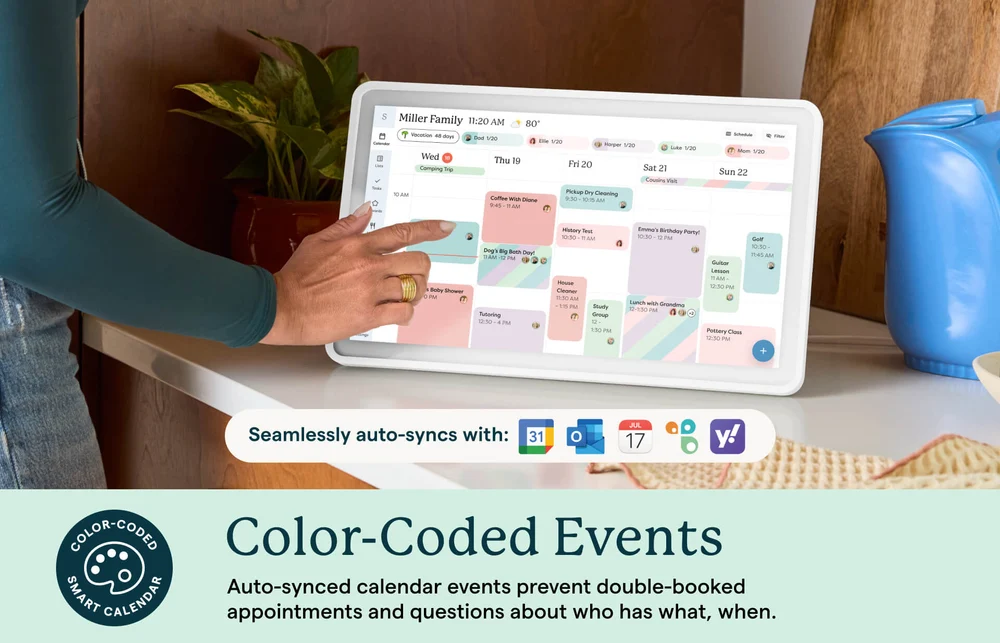
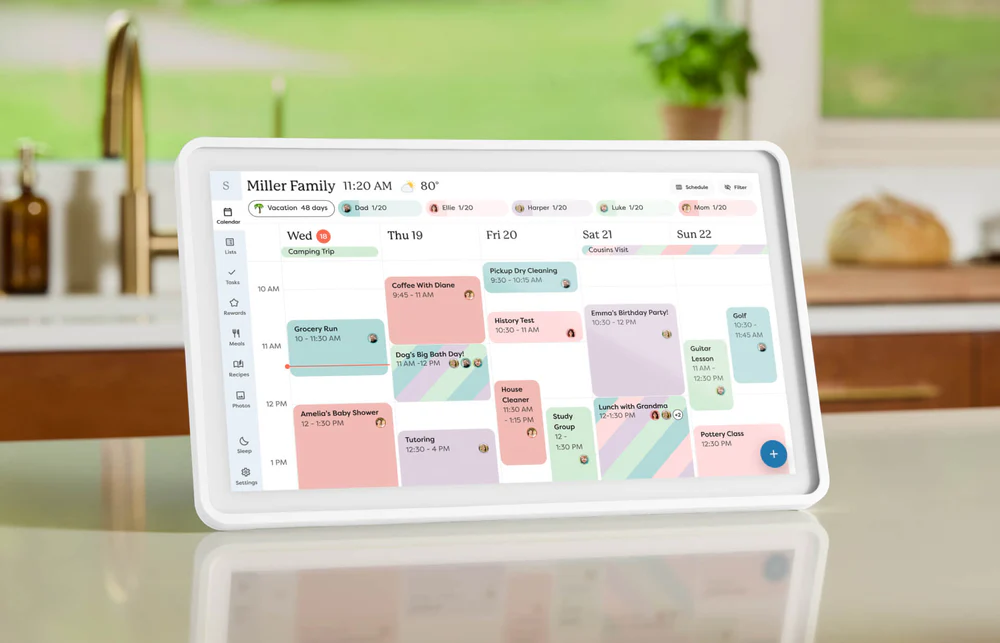
The Calendar 2 can automatically sync with services including Google Calendar, Outlook, Apple Calendar, Cozi and Yahoo. Family members can also be assigned different colors, making it easier to identify who an event belongs to at a glance.
The free mobile app allows schedules and lists to be managed remotely, while standard features include task management, custom lists, weather, parental lock and several calendar views.
An optional Calendar Plus plan adds features such as meal planning, photo screensavers and Magic Import, which can turn information from emails or PDFs into calendar events.
Best for: busy families, school schedules, appointments, chores and shared household planning.
Explore the Skylight Calendar
Skylight Calendar Max
For households that want the calendar to function as a permanent visual command center, Calendar Max takes the same concept and puts it on a much larger screen.
The Calendar Max features a 27-inch display and is designed specifically for wall mounting. It can be installed in either portrait or landscape orientation, allowing it to fit different spaces and room layouts.
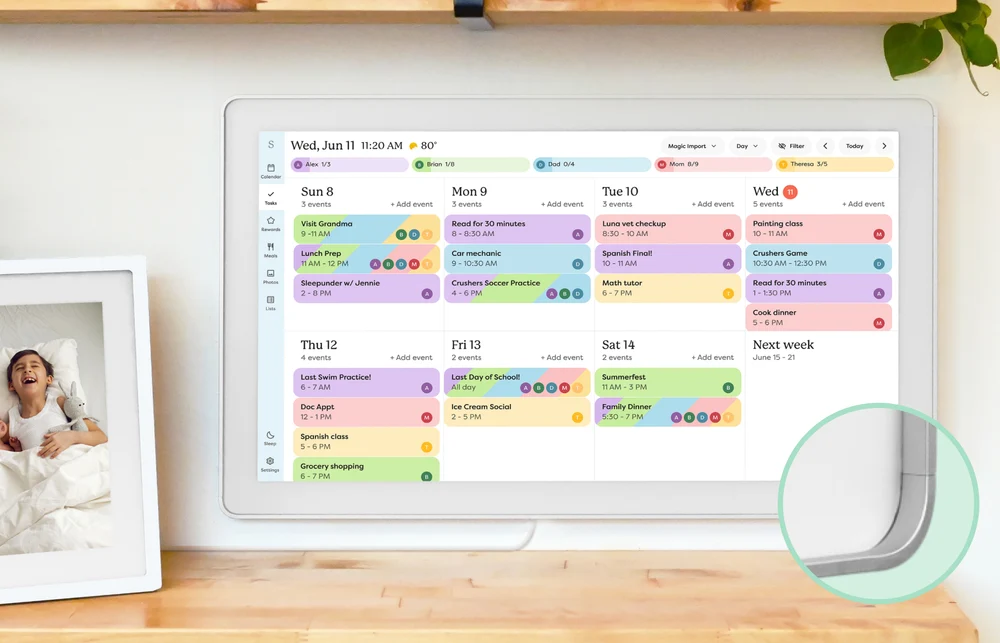
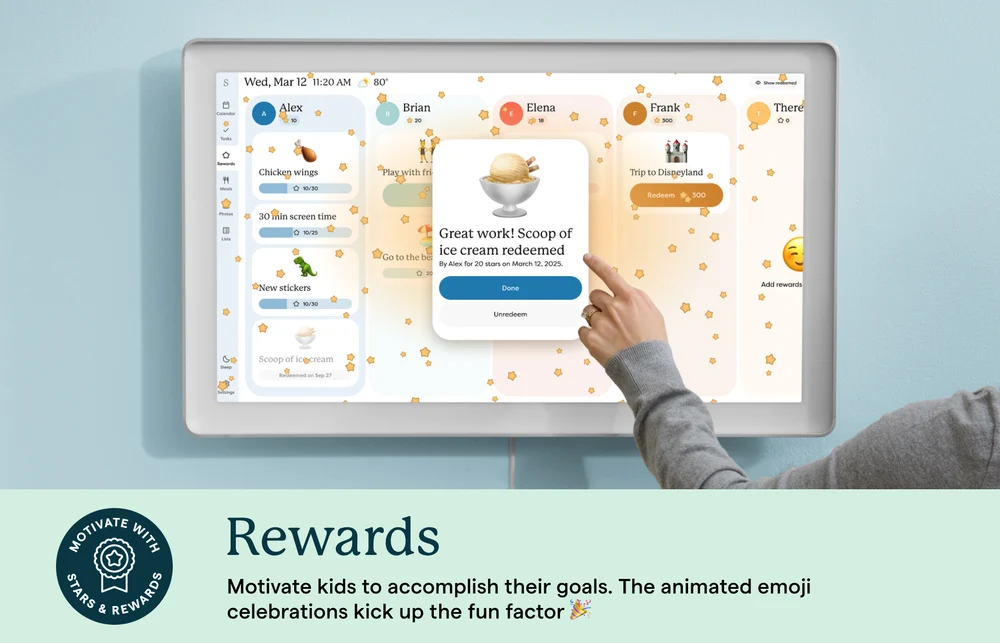
The larger display makes it particularly useful when several people need to read the schedule from across a kitchen, hallway or family room.
It includes the same core organization tools found across the calendar range, including synchronized schedules, color-coded profiles, lists and chores. The Plus subscription can add meal planning, photo screensavers and Magic Import.
The current Calendar Max is available in Classic and Shadow Box frame styles, with multiple finish options.
For a household with multiple children, sports schedules, appointments and activities, the larger format can make the family calendar feel less like another device and more like a permanent part of the home.
Best for: larger families, wall-mounted family organization and highly visible household scheduling.
Discover Calendar Max from Skylight
Skylight Frame 2
Not every product from Skylight is focused on schedules.
Frame 2 is a digital picture frame designed to make sharing family photos easier, especially when relatives live far apart.
Once the frame is connected to Wi-Fi, photos can be sent through the free mobile app or directly to the frame’s unique email address. Family members and friends can therefore add new memories from different locations without physically accessing the device.
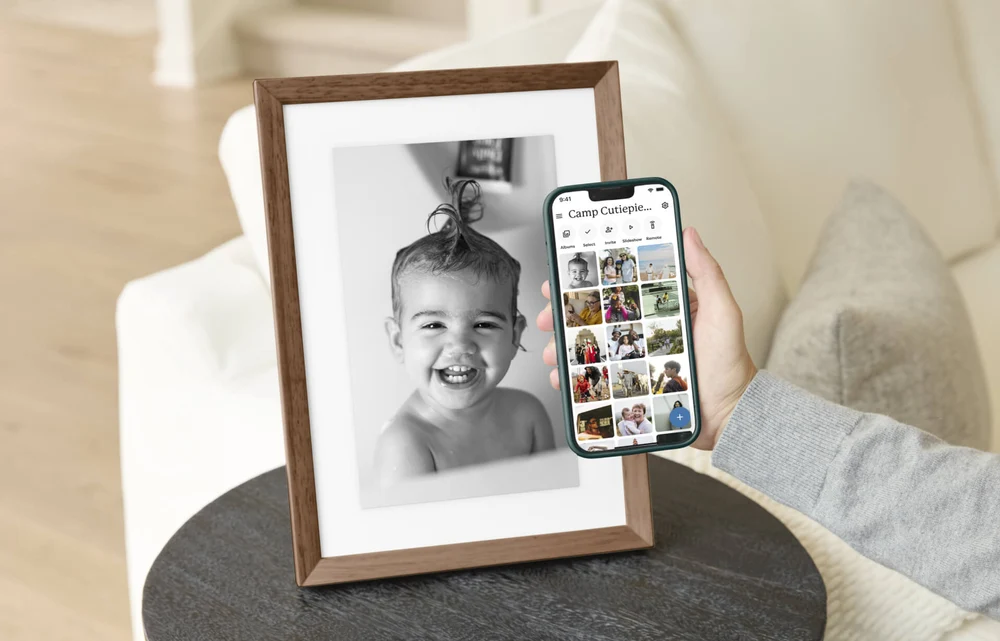

Frame 2 features a 1920 × 1200 Full HD anti-glare display, automatic brightness adjustment and 16GB of storage, which the company says can hold up to approximately 16,000 photos depending on file size.
Another interesting feature is the interchangeable magnetic Snap Frame system.
Instead of replacing the complete digital frame when your décor changes, the outer frame can be removed and swapped in seconds. Options include classic finishes and real-wood styles such as walnut and birch.
You can also preload photographs before giving the frame as a gift, so the recipient sees familiar memories when the device is first connected.
Best for: grandparents, long-distance families, gifts and displaying frequently updated family photos.
Explore digital photo frames from Skylight
Skylight Buddy
Buddy is a very different kind of device.
Rather than organizing the whole household, it is designed specifically to help children work through daily routines more independently.
The device displays visual chores and routines that children can check off themselves. Parents manage the system through the same free Skylight app.
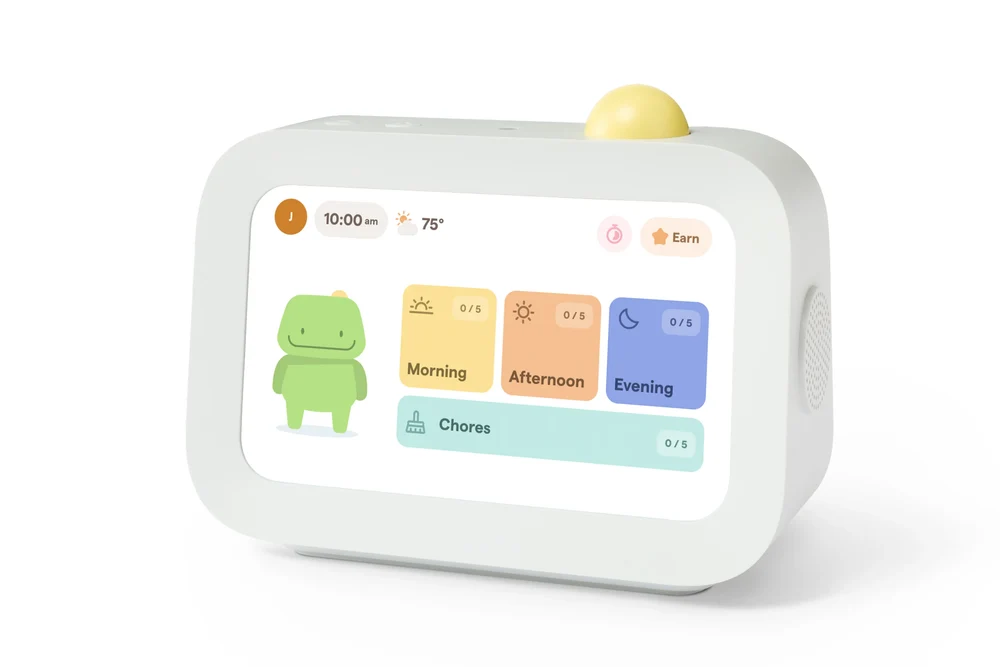
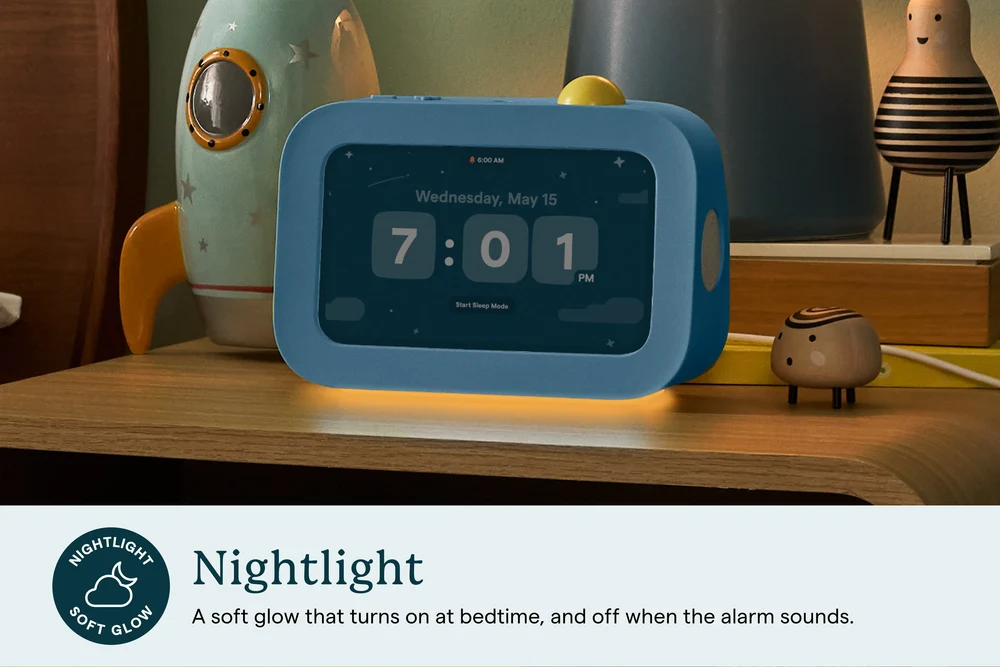
Its core features combine several devices that might otherwise sit separately in a child’s bedroom. Buddy can function as a routine planner, alarm clock, nightlight and sound machine. Weather information is also available directly on the screen.
The optional Plus plan adds features such as reward stars, visual timers and spoken reminders.
One important distinction is that Buddy is not a general-purpose tablet. It does not provide internet browsing, social media, YouTube or downloadable apps. It is built specifically around routines and daily responsibilities.
The company says Buddy is primarily designed for children around ages four to ten who are beginning to develop greater independence.
Best for: morning routines, bedtime, chores and helping younger children manage daily responsibilities.
Discover Skylight Buddy
Make Home Organization Easier to See
Sometimes the most effective organization system is the one everyone can actually see and use.
A shared touchscreen schedule can make tomorrow’s appointments obvious. A digital frame can keep grandparents connected to everyday family moments. A routine device can give children a clearer picture of what they need to do next.
That practical, visible approach is at the center of Skylight.
Explore Skylight and find the smart home device that fits your family’s everyday routine.










No Comment! Be the first one.